The CAD agent for drones and defence hardware
Describe what you need. Speed models it in your browser, checks the physics on every edit, runs the FEA and hands you the drawings and the review deck.
Design any kind of
hardware with Speed
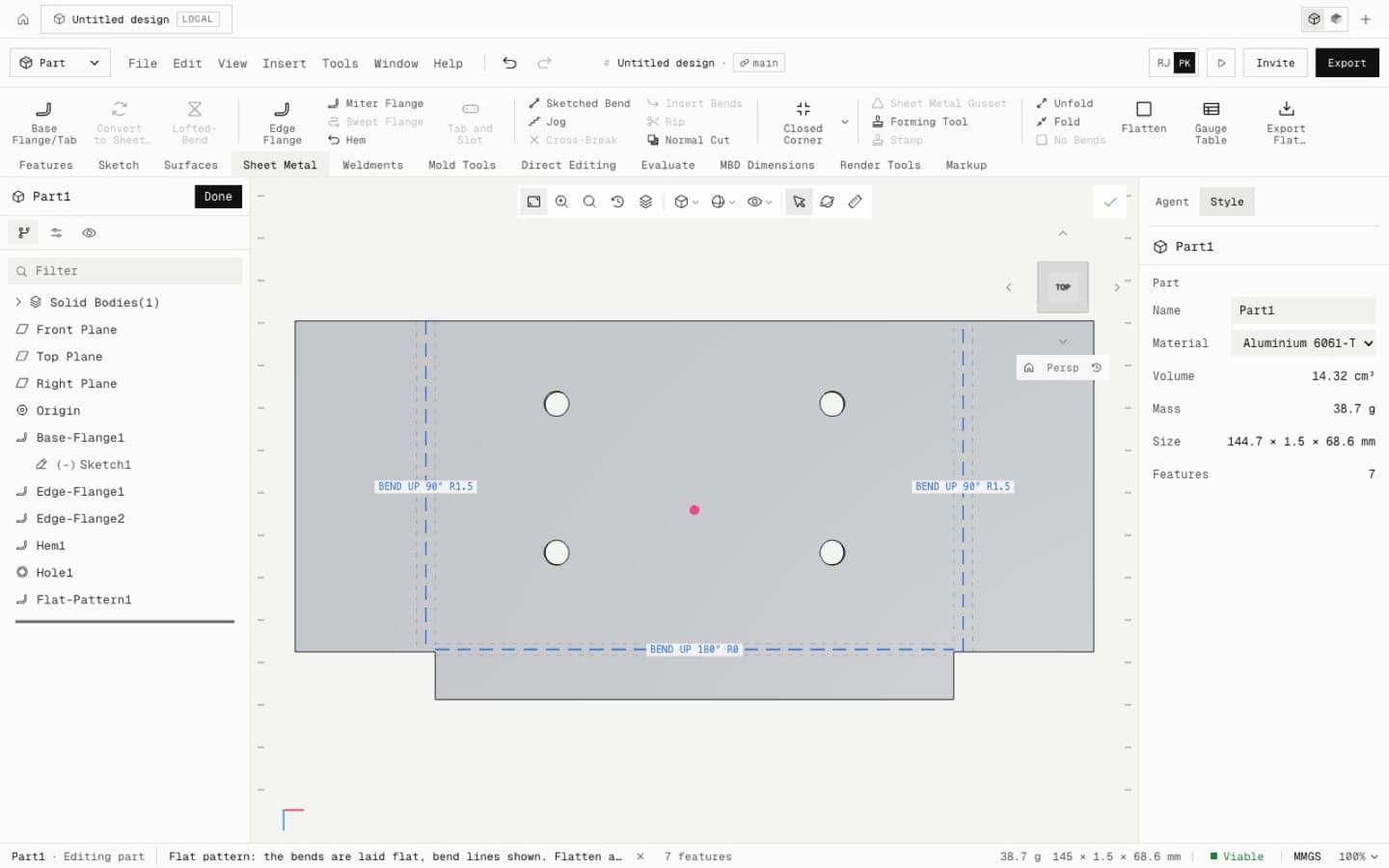
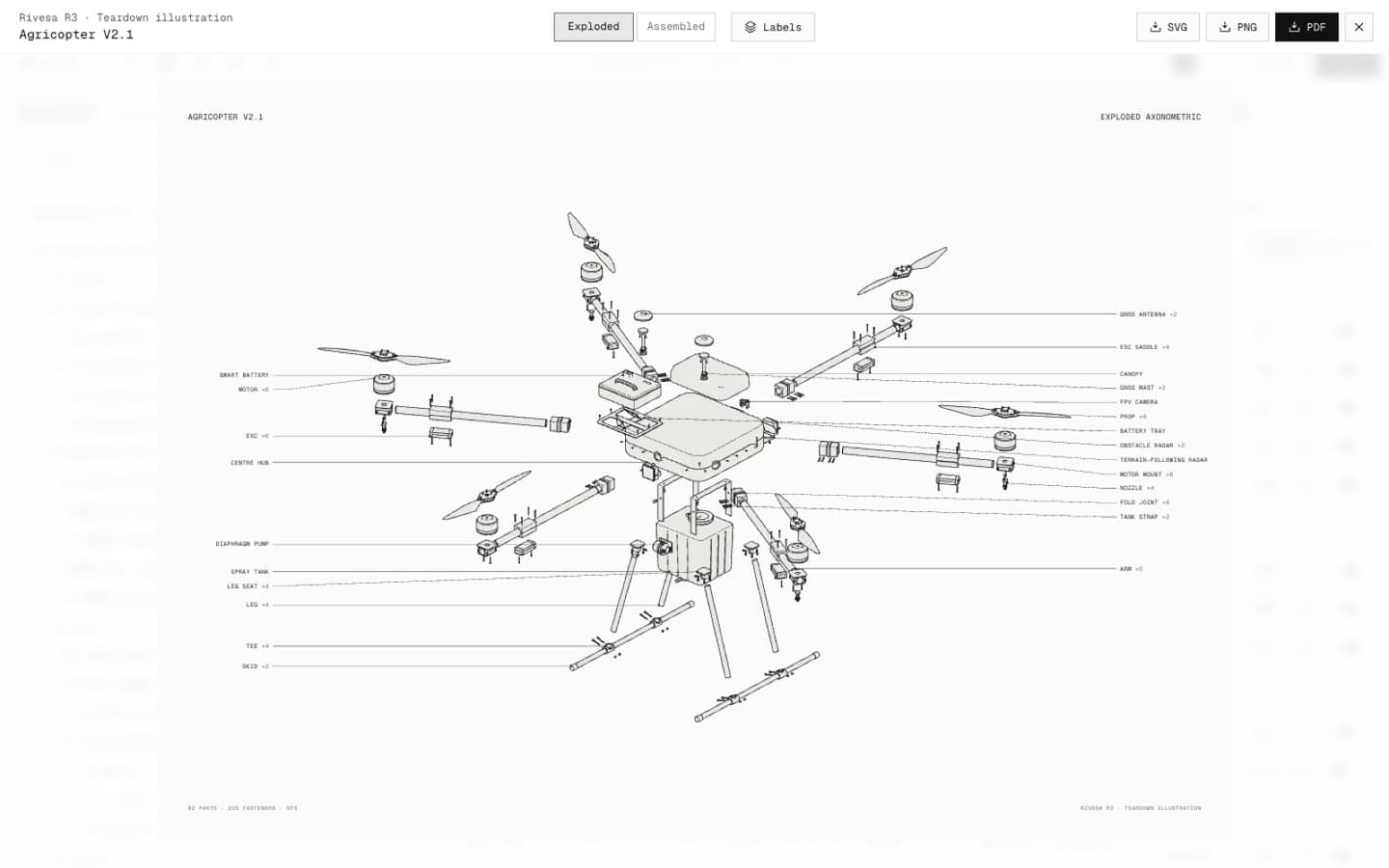
Multirotors, fixed wings, gimbals, payload pods, brackets and harnesses. Parts, sheet metal, surfaces, welded frames and full assemblies in one tool.
Start however you like,
end with a checked design.
Bring a sentence, a STEP file or a template. Speed takes it from there and keeps the numbers honest the whole way.
Describe it to the agent
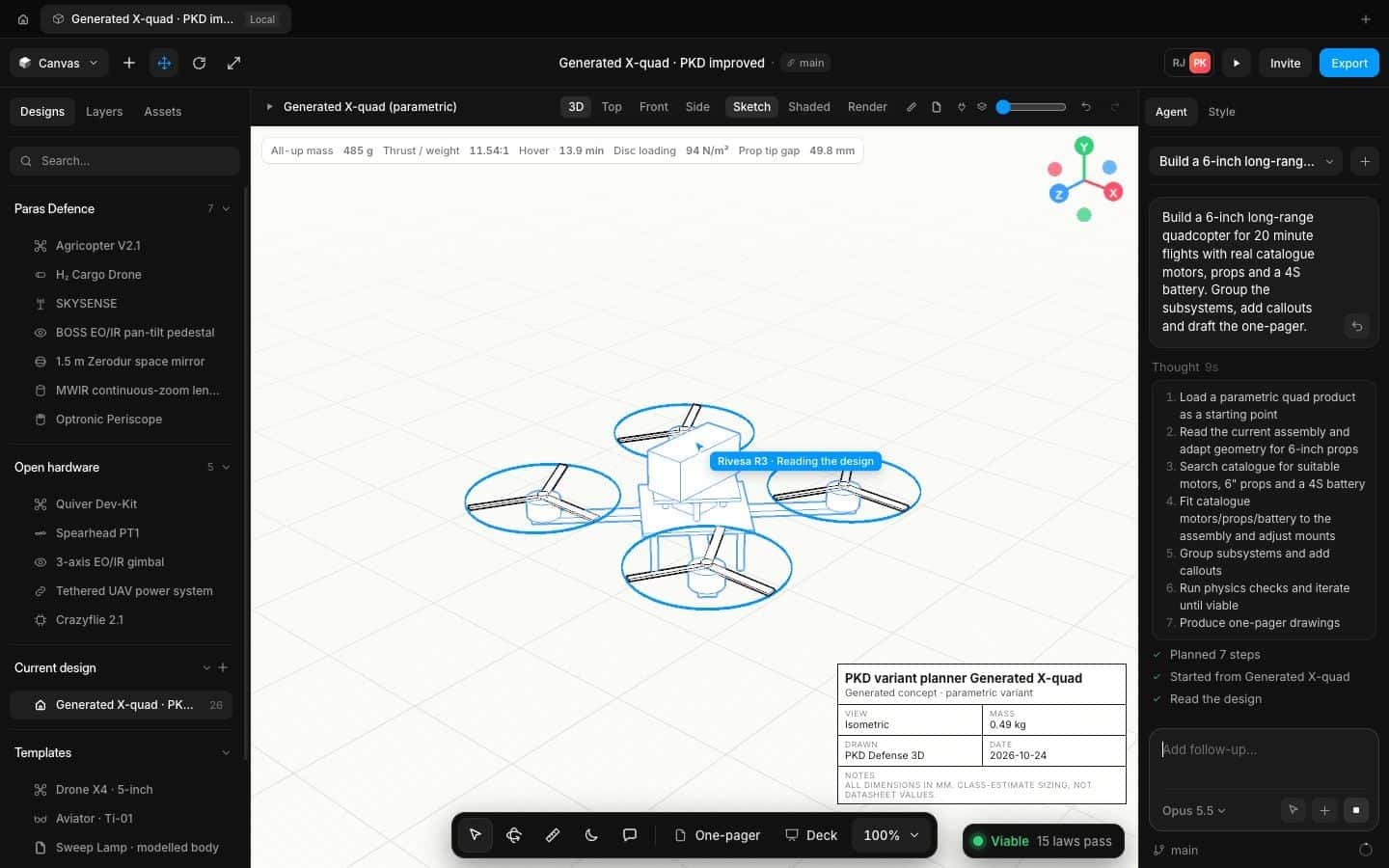
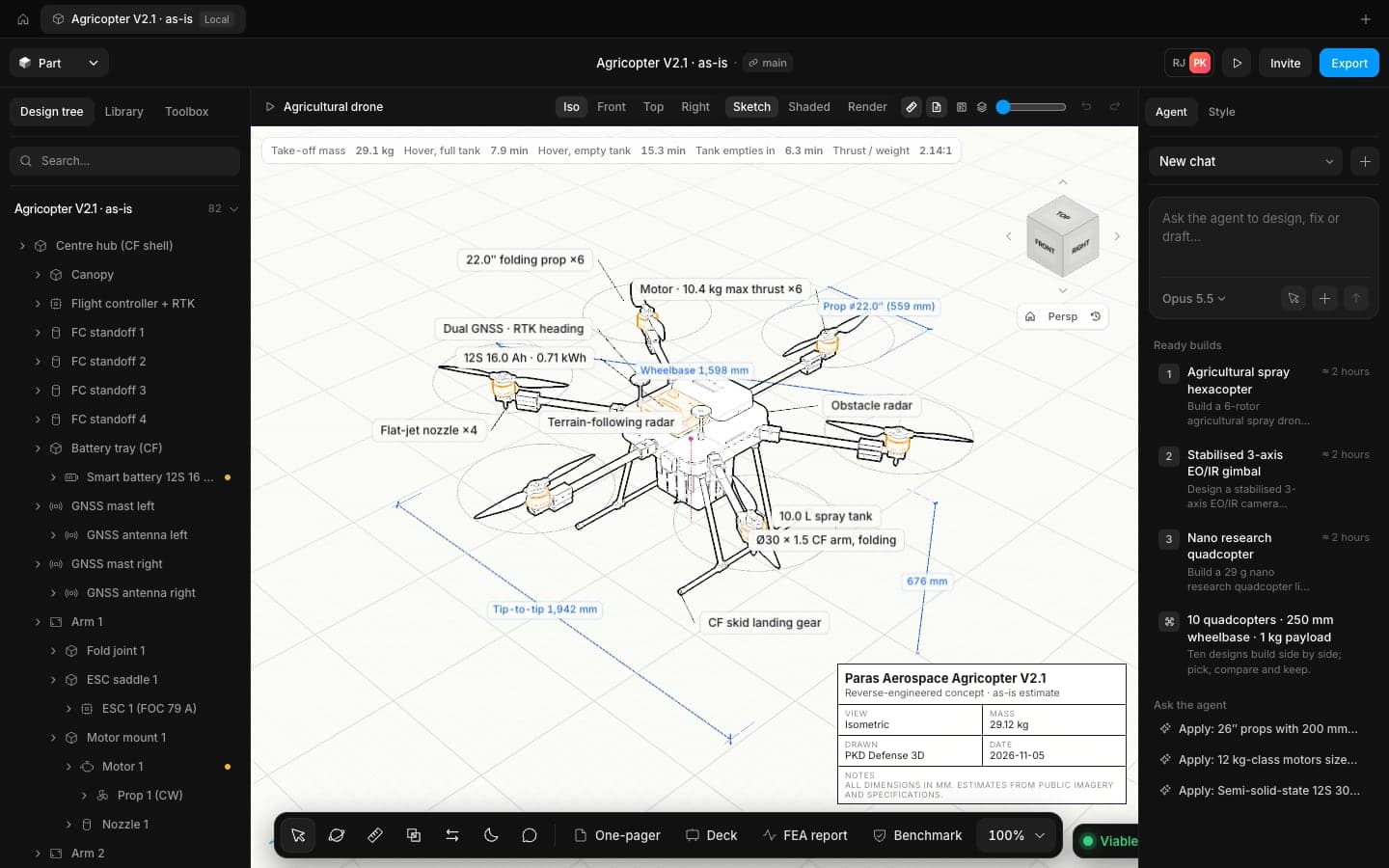
Type the brief as you would to a colleague: payload, endurance, prop size. The agent writes a plan, picks parts and builds.
Import what you already have
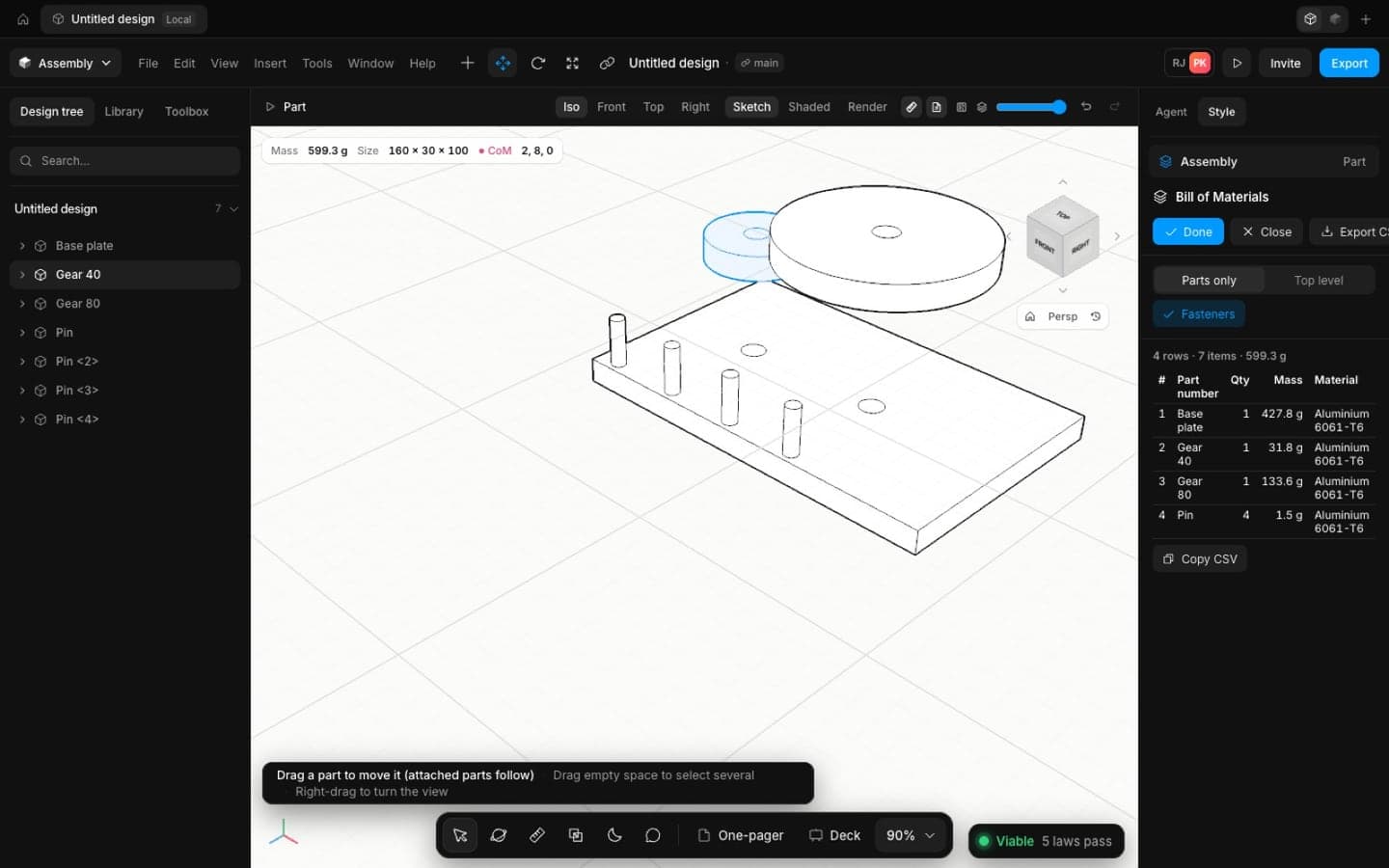
Open STEP, IGES or STL from your current CAD. Every body lands as its own part, ready to mate, check and simulate.
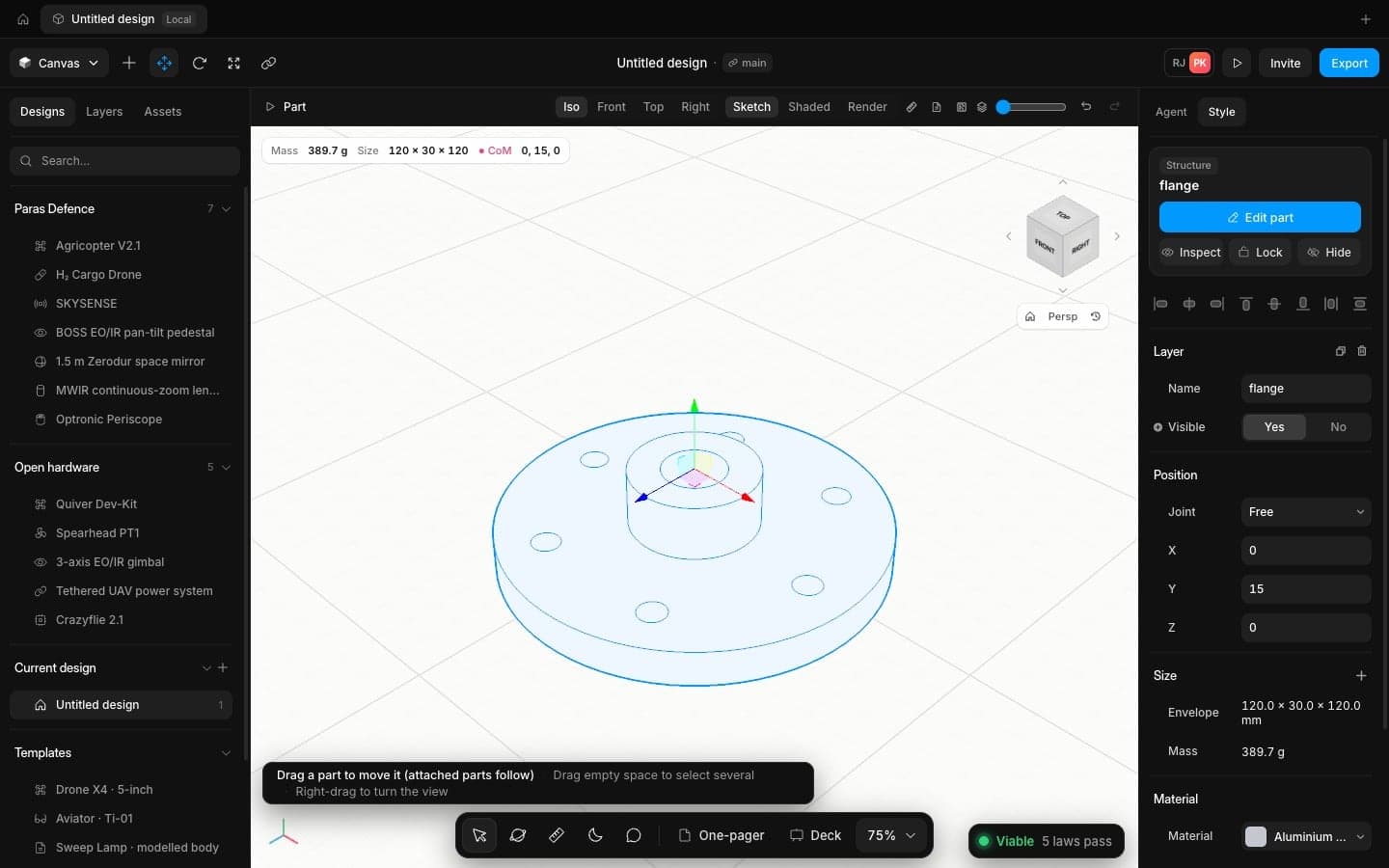
Start from a proven airframe
Templates for quads, sprayers, tethered systems and gimbals come with real motors, batteries and sizes you can drag.
Sketch and model by hand
A full part modeller with sketches, relations, extrudes, fillets, holes, patterns and sheet metal, laid out the way engineers expect.
Run Speed from the AI tools you already use
Connect Speed to Claude Code or any MCP client to model, check and report on designs.
Your design is ready.
So is the paperwork.
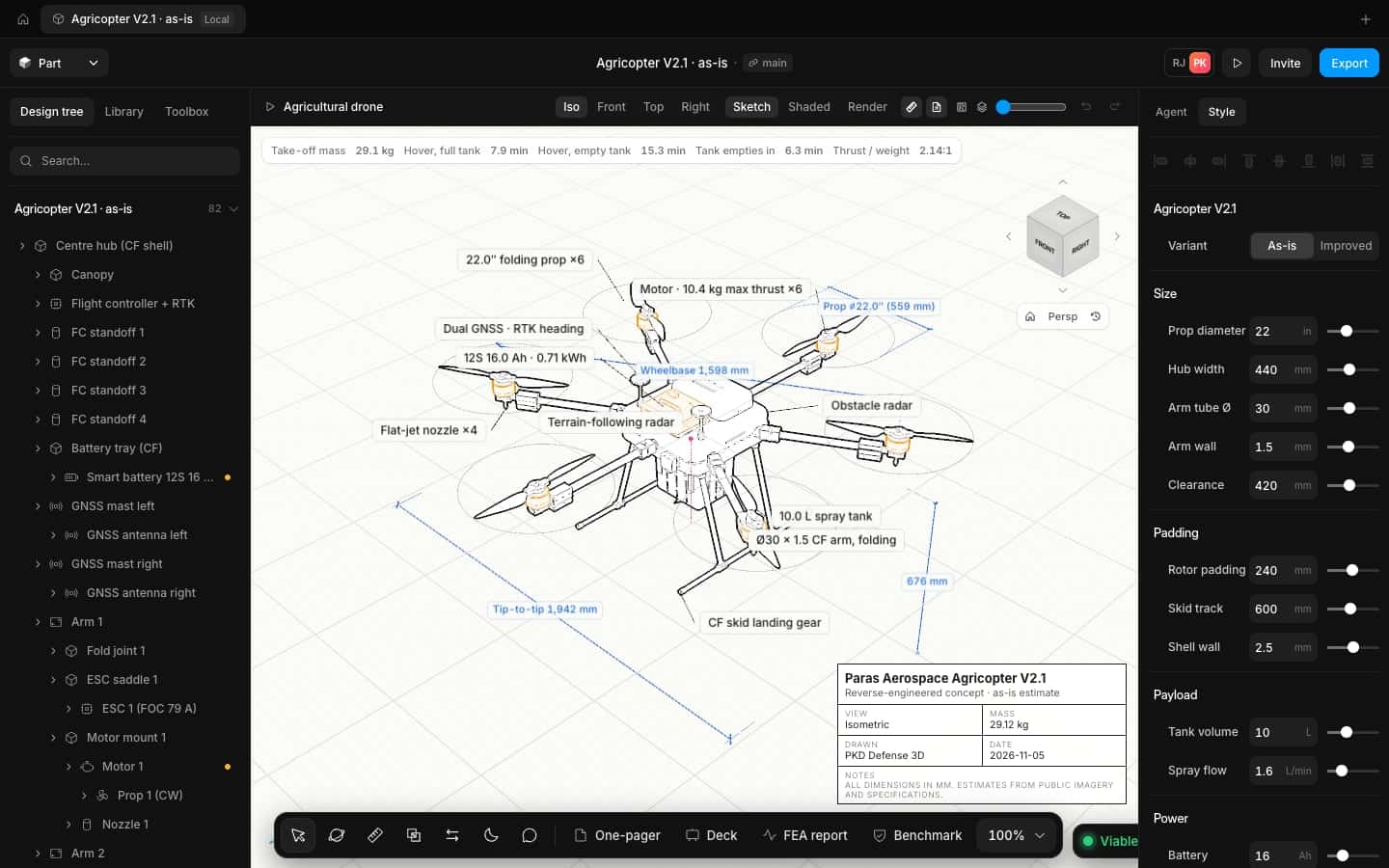
Every model comes with the documents a design review asks for, drawn from the same numbers, so they never drift apart.
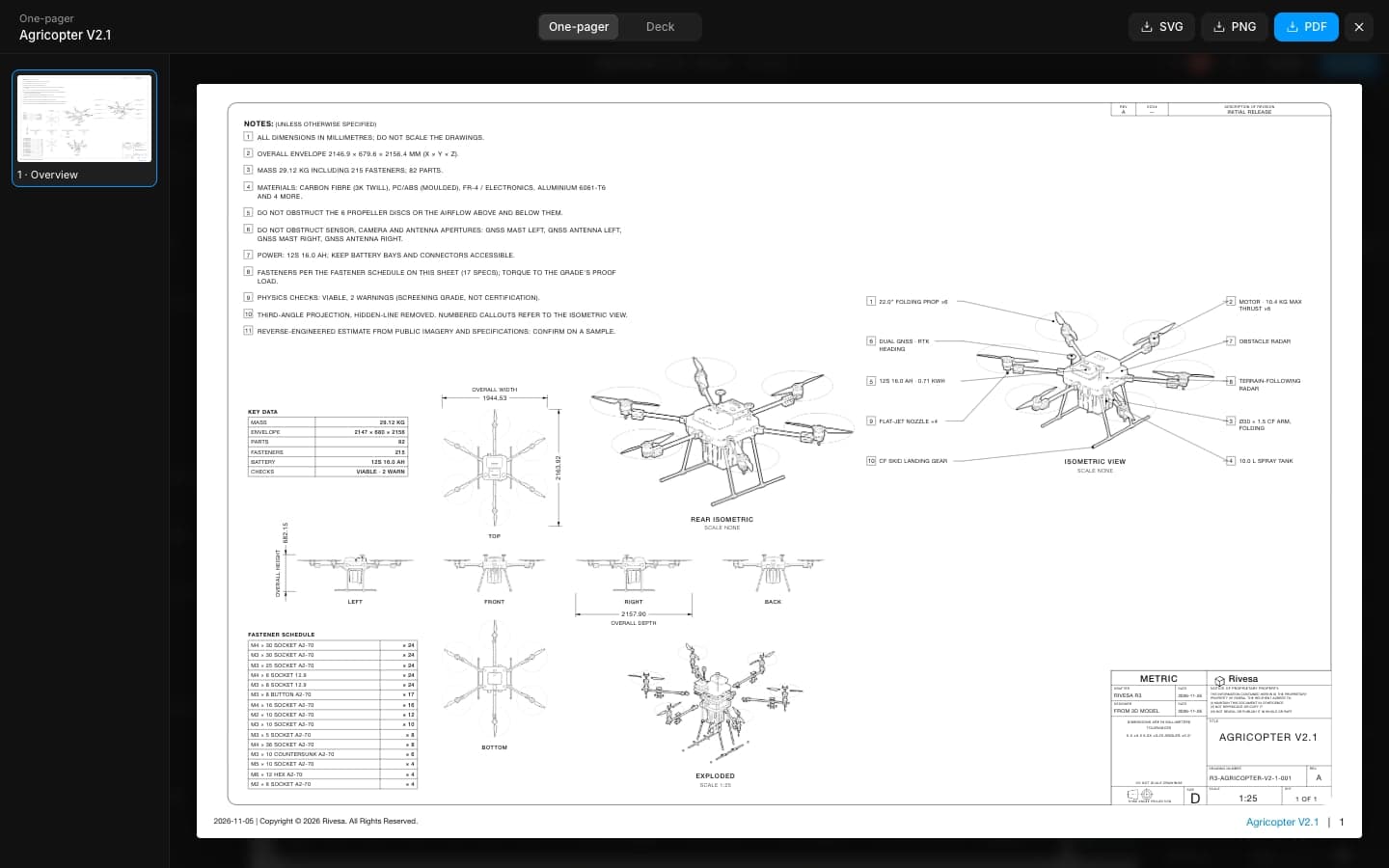
One-pager
Views, notes, parts list and title block on a single sheet.
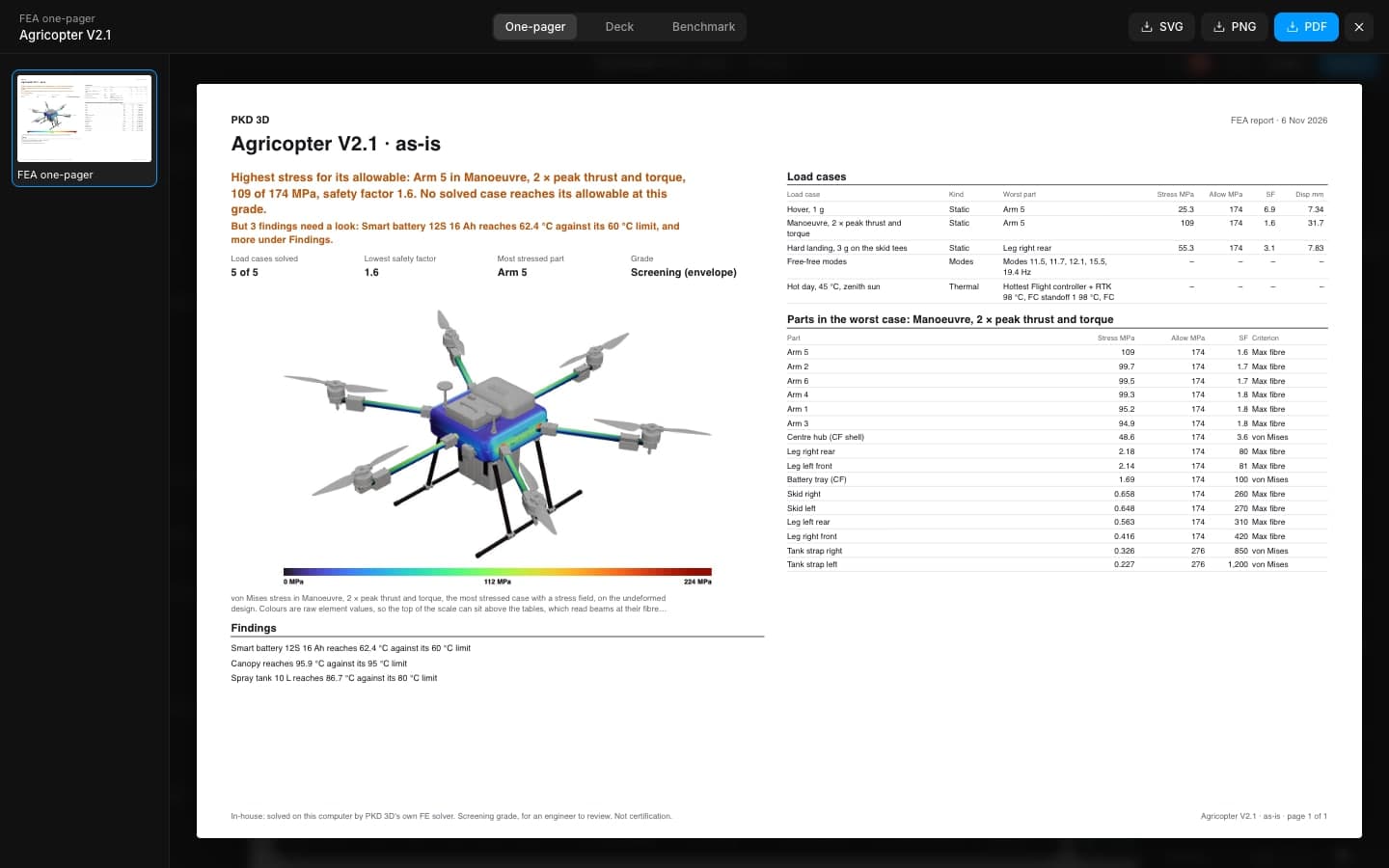
FEA report
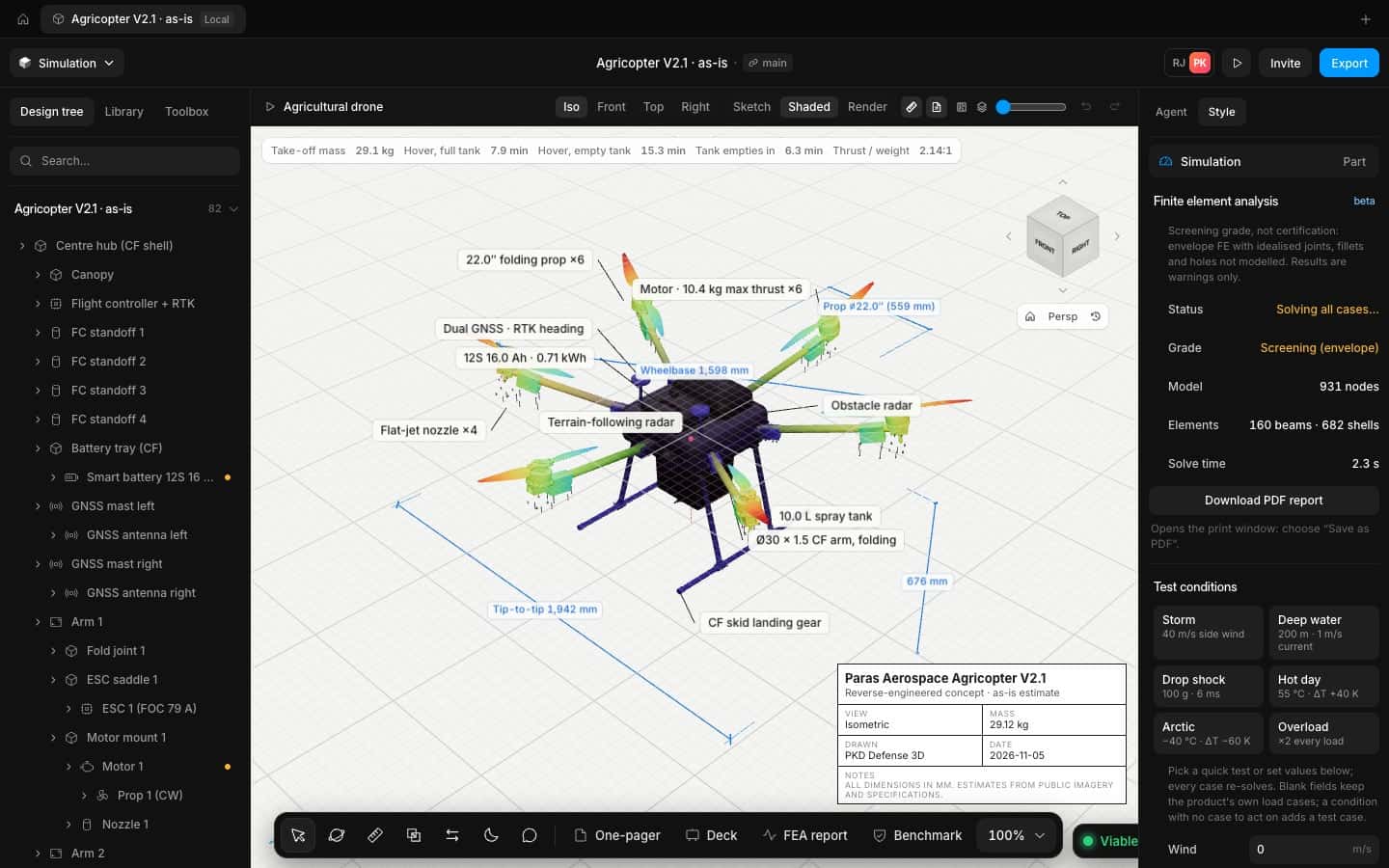
Load cases, the worst part and its safety factor on one page.
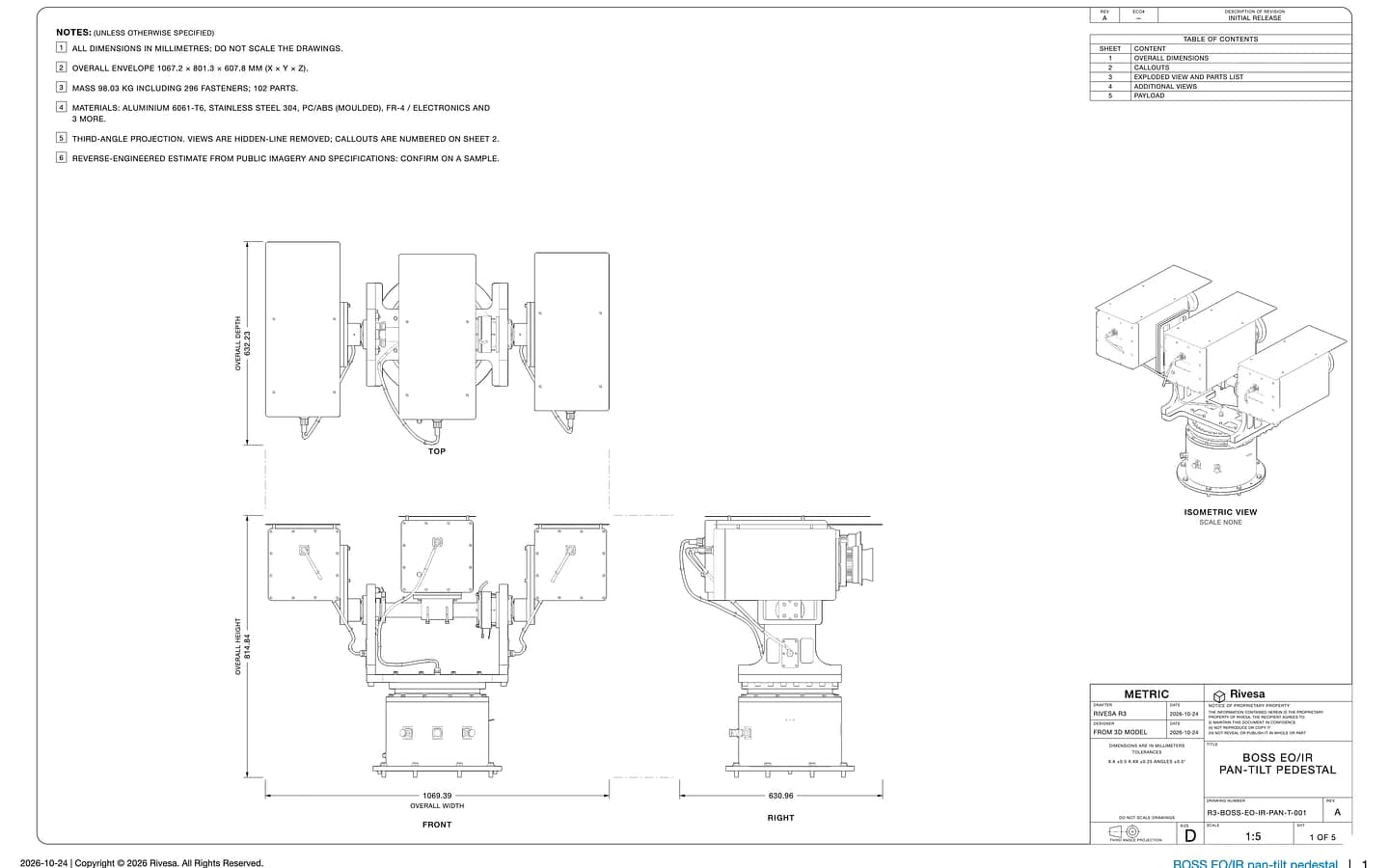
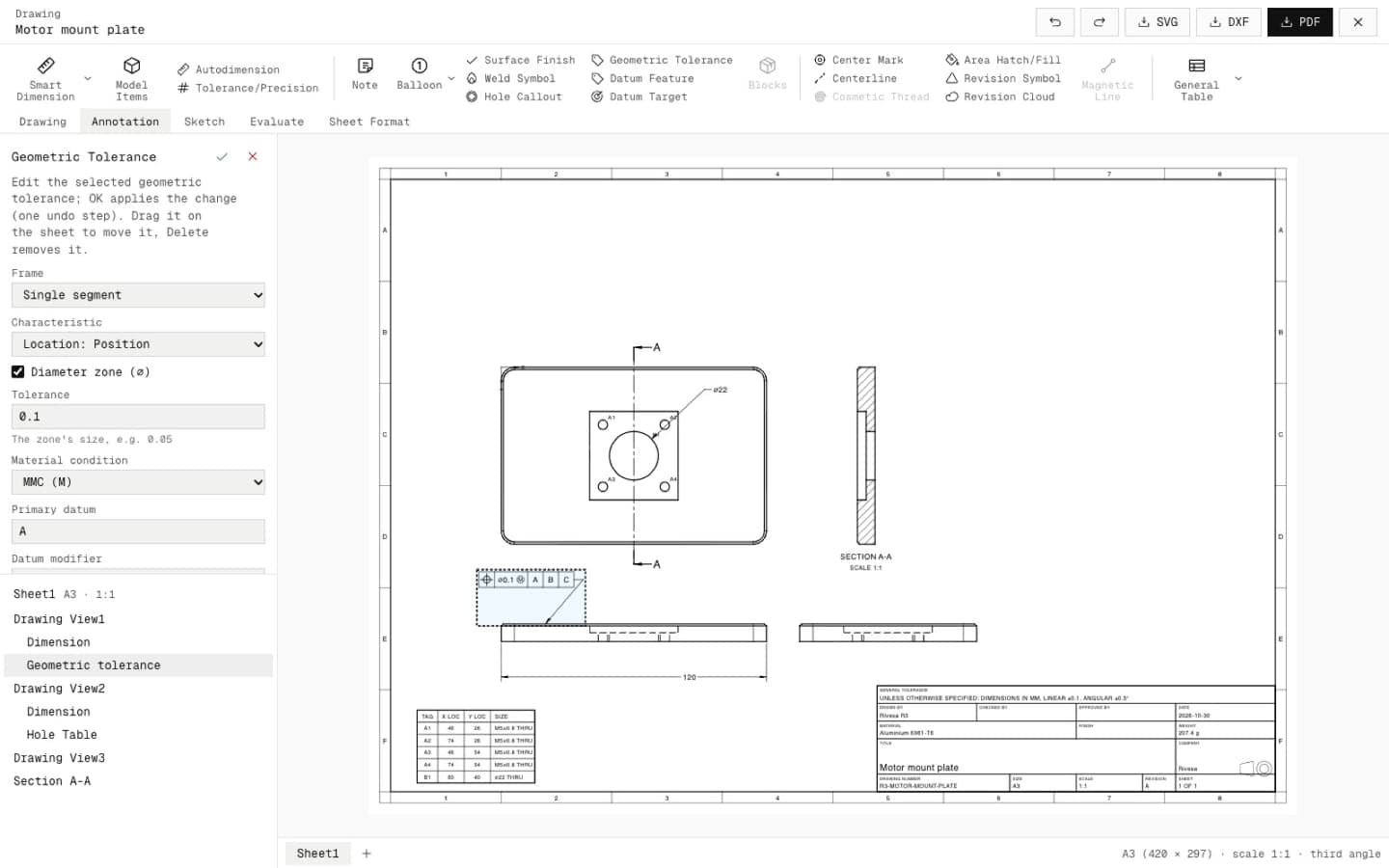
Drawings
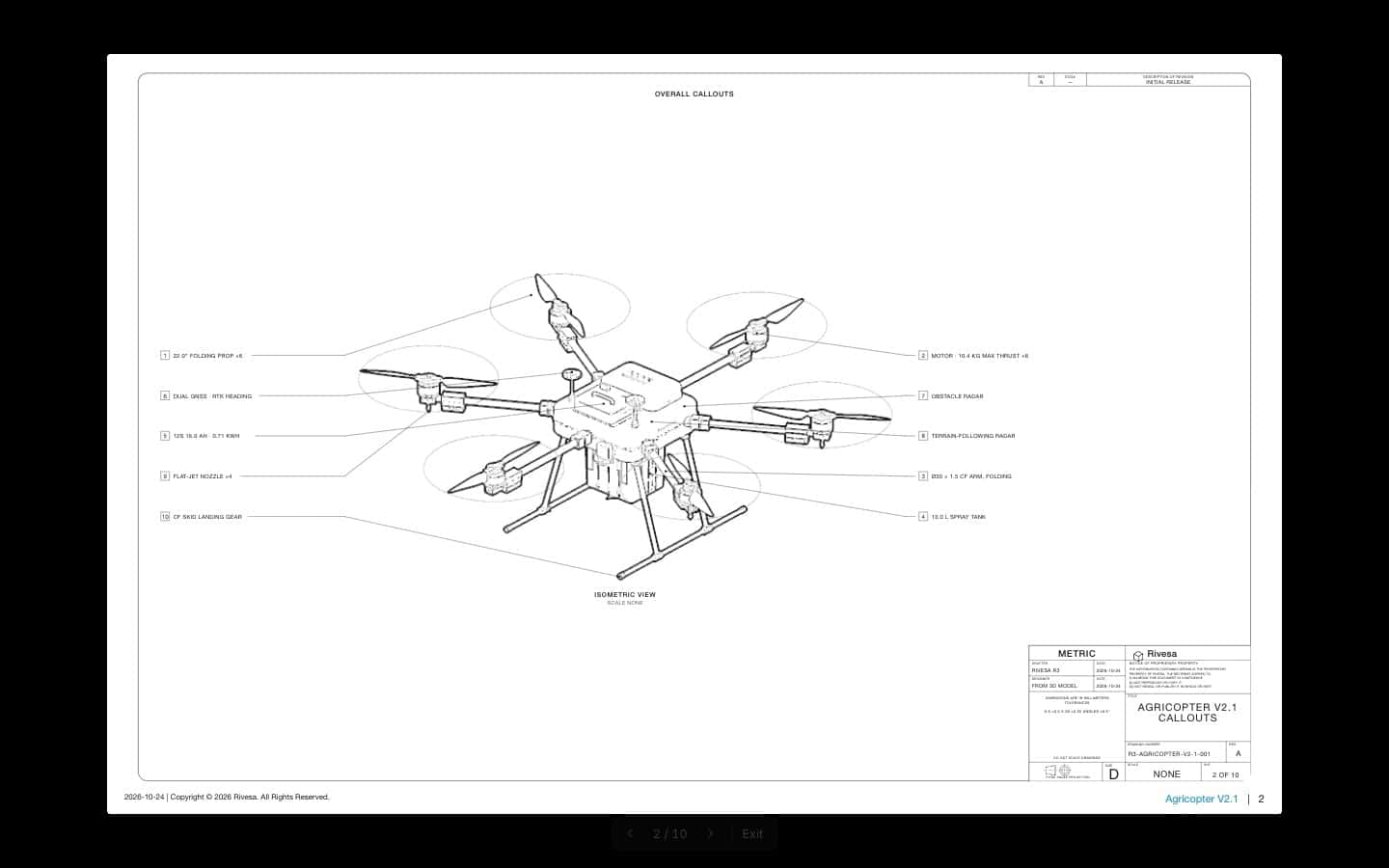
PDF, SVG and DXF at true scale with callouts and GD&T.
Swap any part for
one you can actually buy
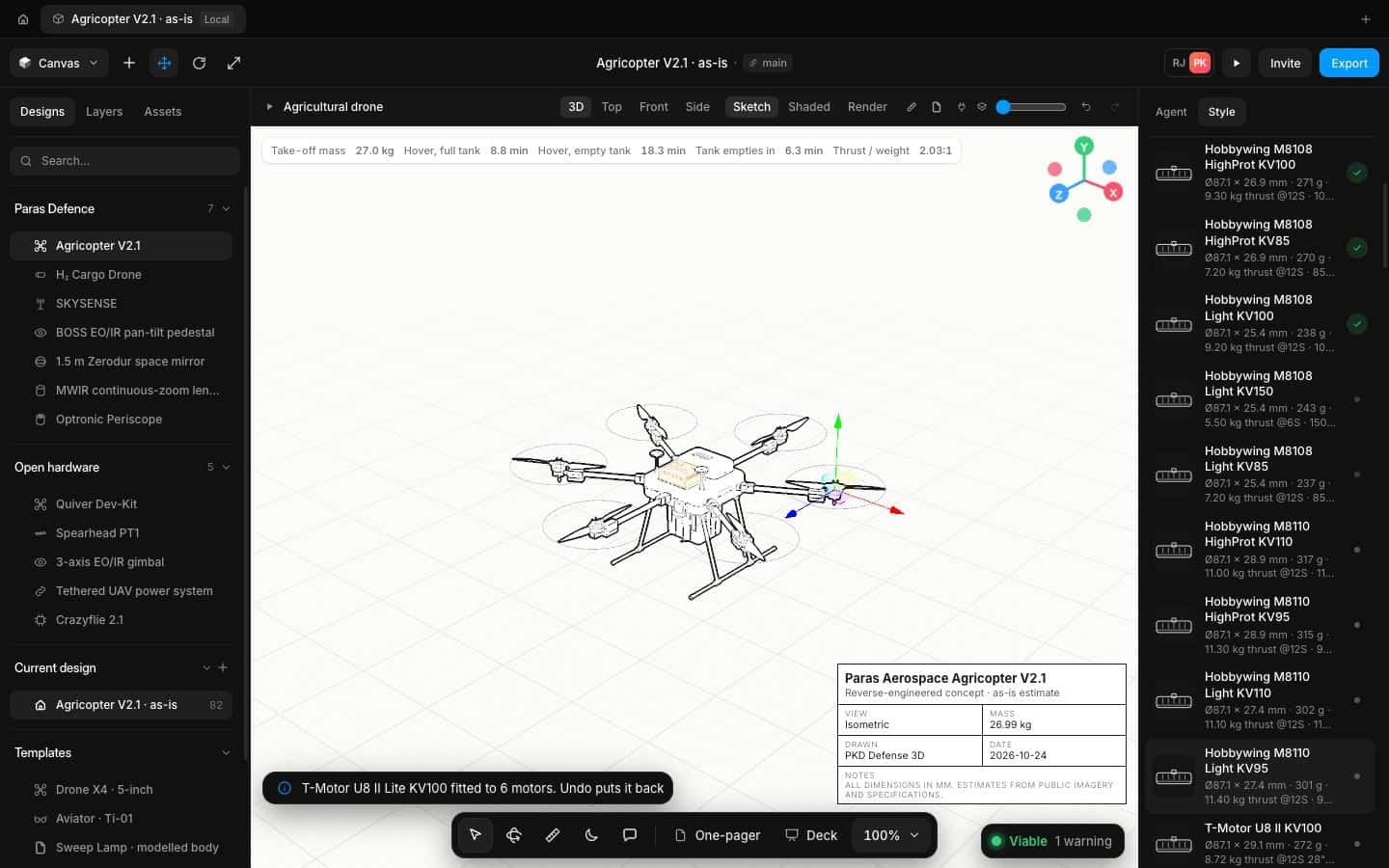
Compare lists the real industry parts that fit where yours sits, with the numbers that matter. Pick one and the whole design updates.
- Mass
- 272 g
- Thrust
- 8.72 kg
- Voltage
- 12S
- Mass
- 271 g
- Thrust
- 9.30 kg
- Voltage
- 12S
- Mass
- 301 g
- Thrust
- 11.40 kg
- Voltage
- 12S
Built for engineers
and their agents.
Work in the editor yourself, or drive the same model from Claude Code or any MCP client. Every command the agent runs is one you can see, check and undo.
Let the agent model.
Take the wheel when you want.
Everything you need to take a concept to a design review. Ask the agent to make changes for you, or set every dimension yourself.
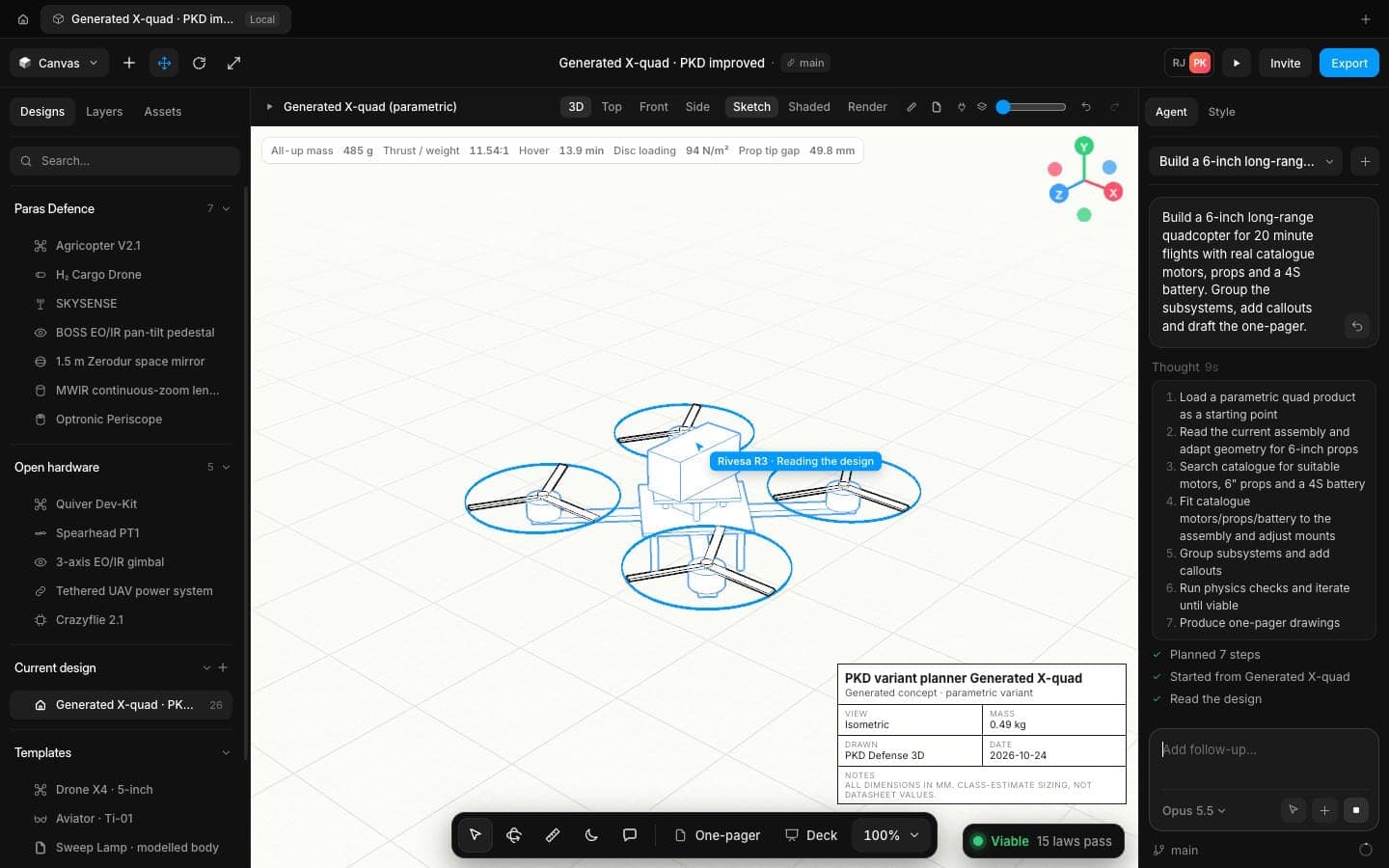
AI design agent
Describe the job in a sentence. The agent plans the build, picks real parts and models it in front of you.
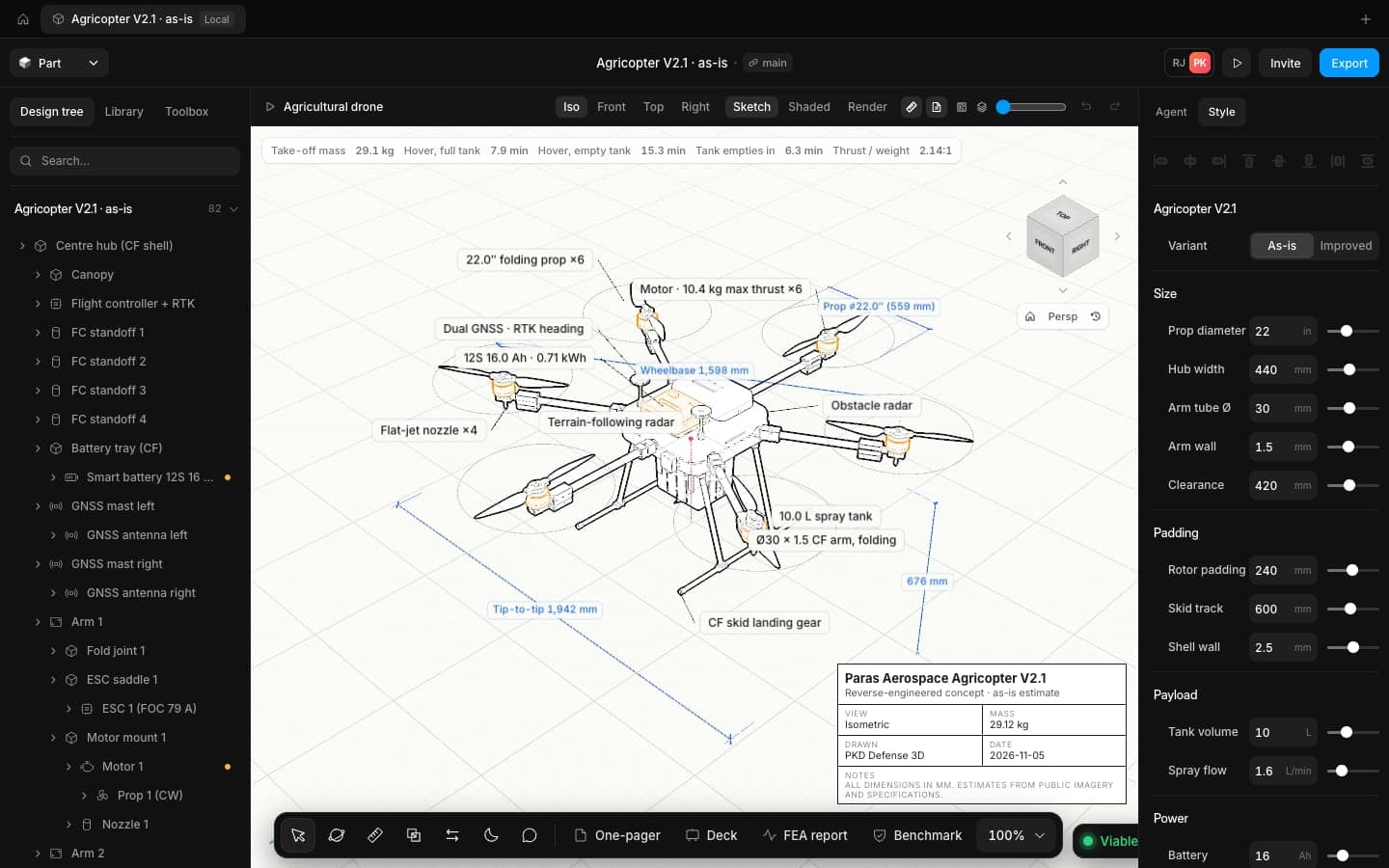
Real-time physics
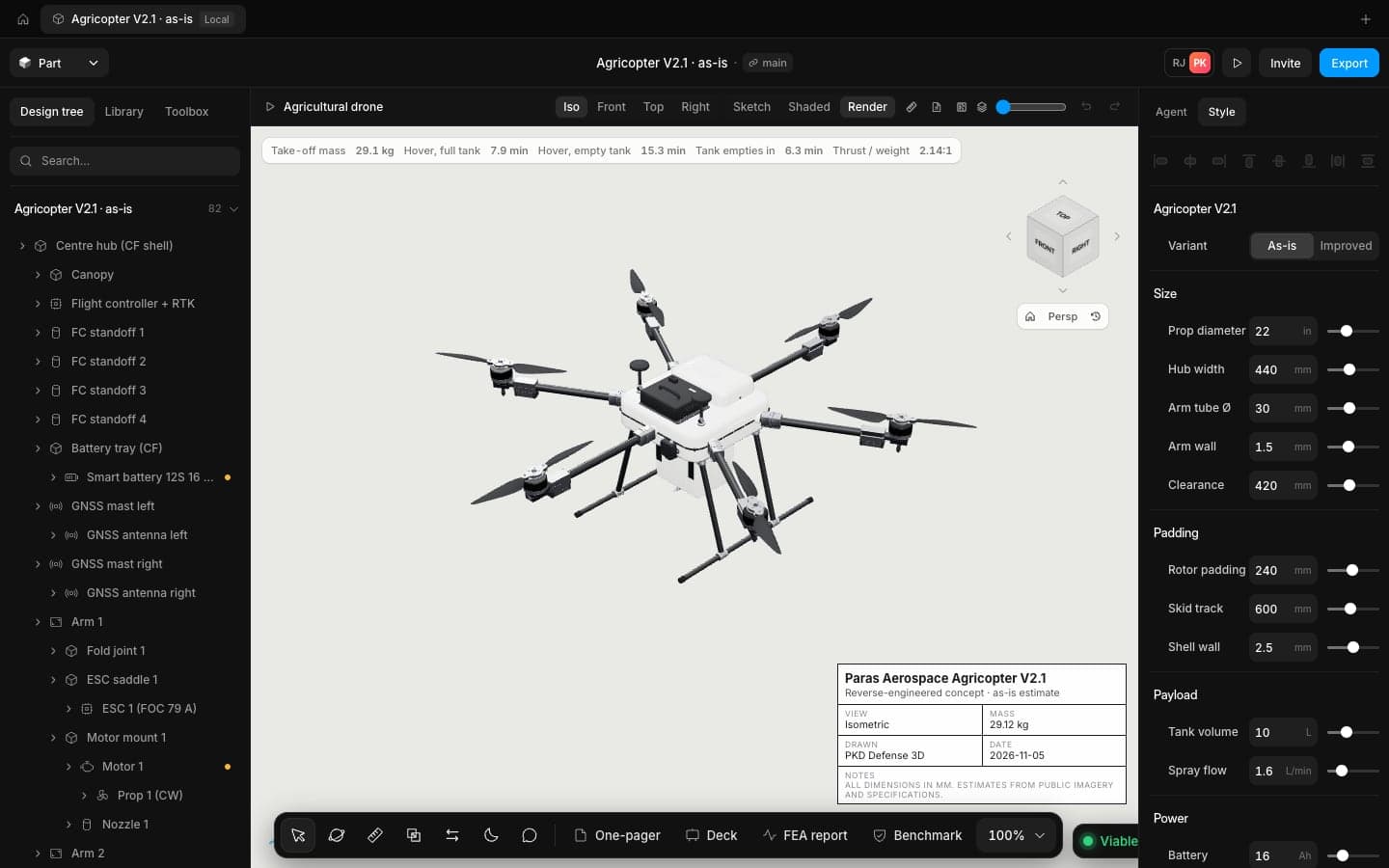
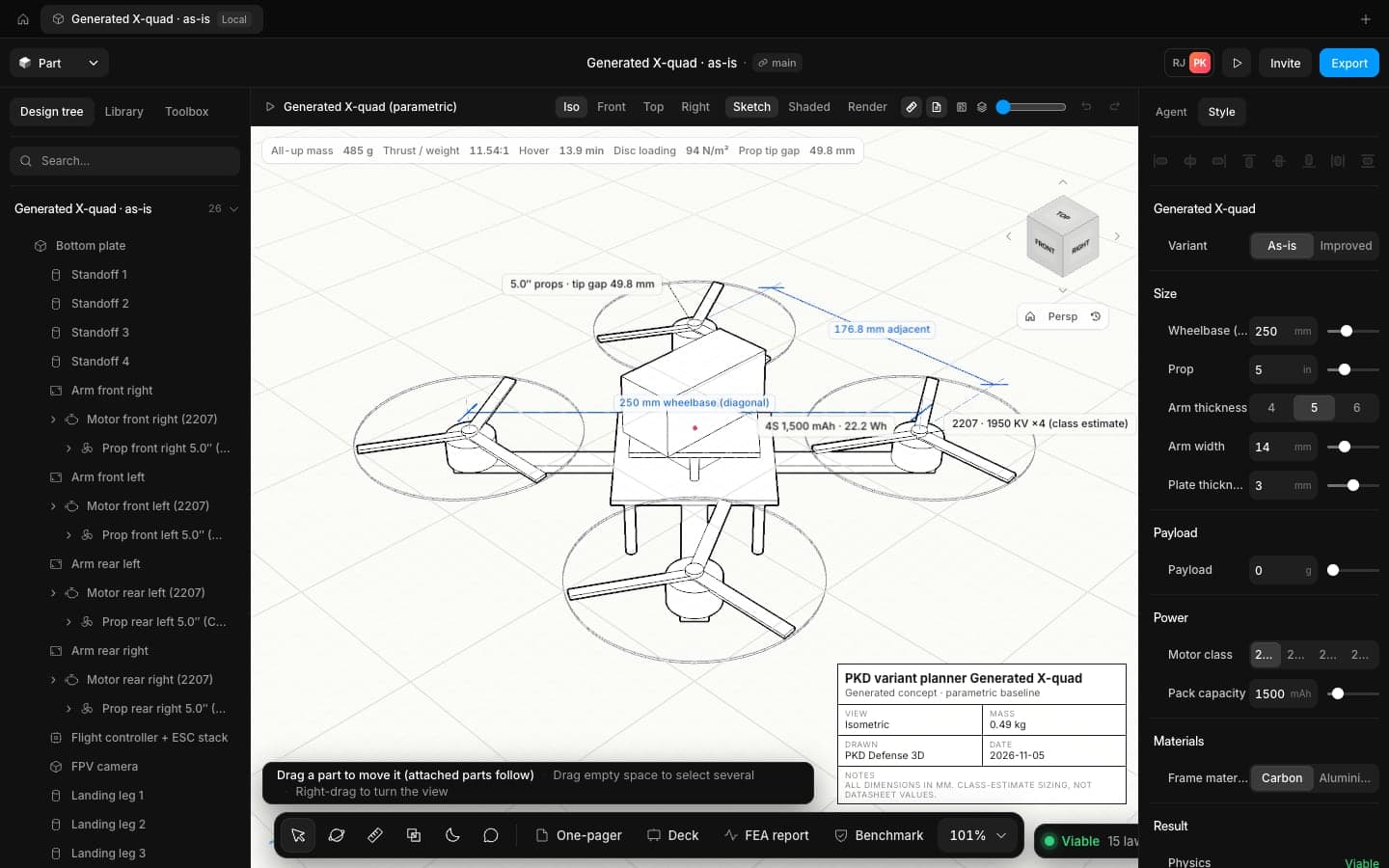
Mass, thrust to weight, hover time and disc loading update on every edit, with each law marked pass or fail.
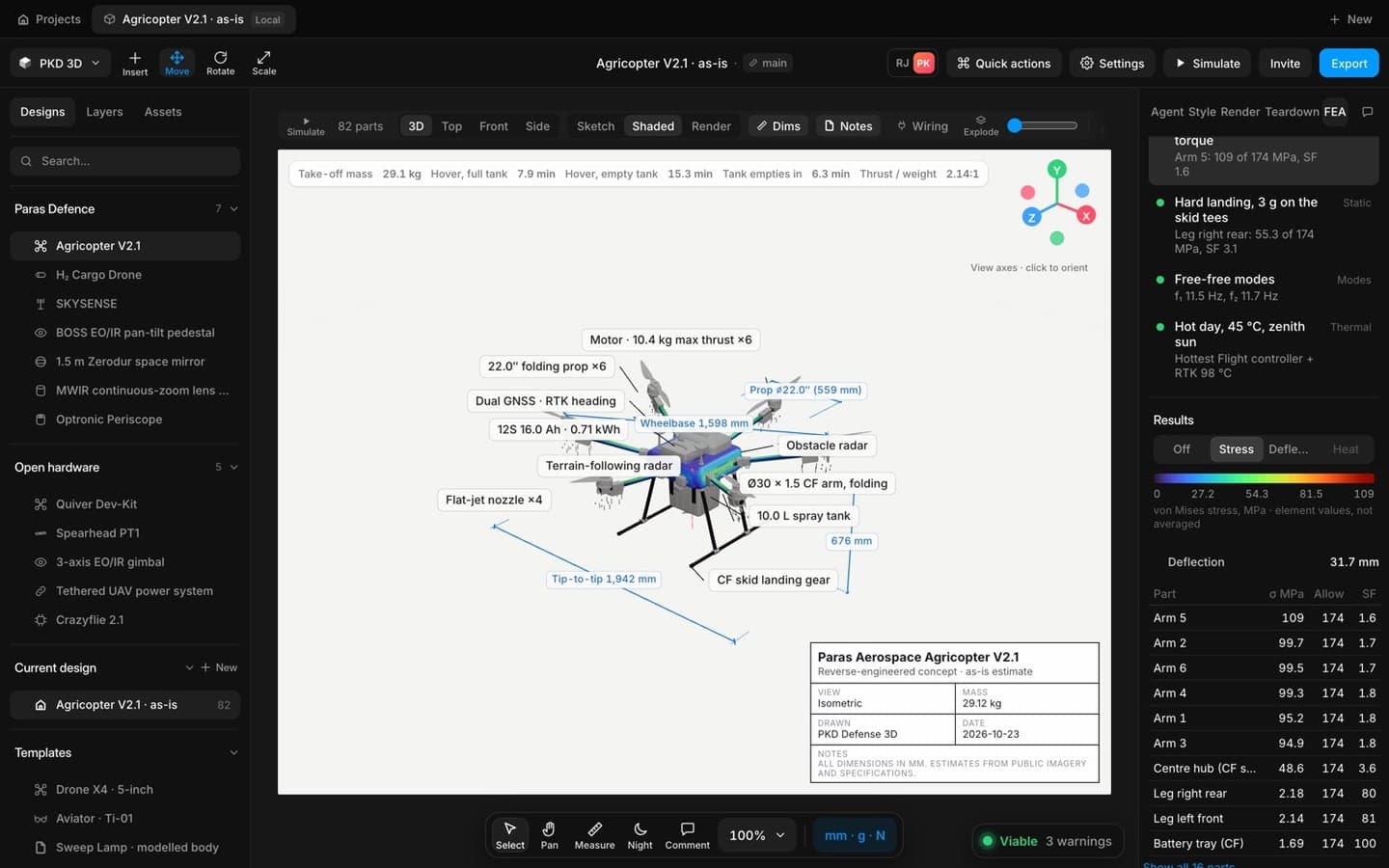
FEA and reports
Static stress, natural modes and heat on the real parts. One click makes the one-pager or the review deck.
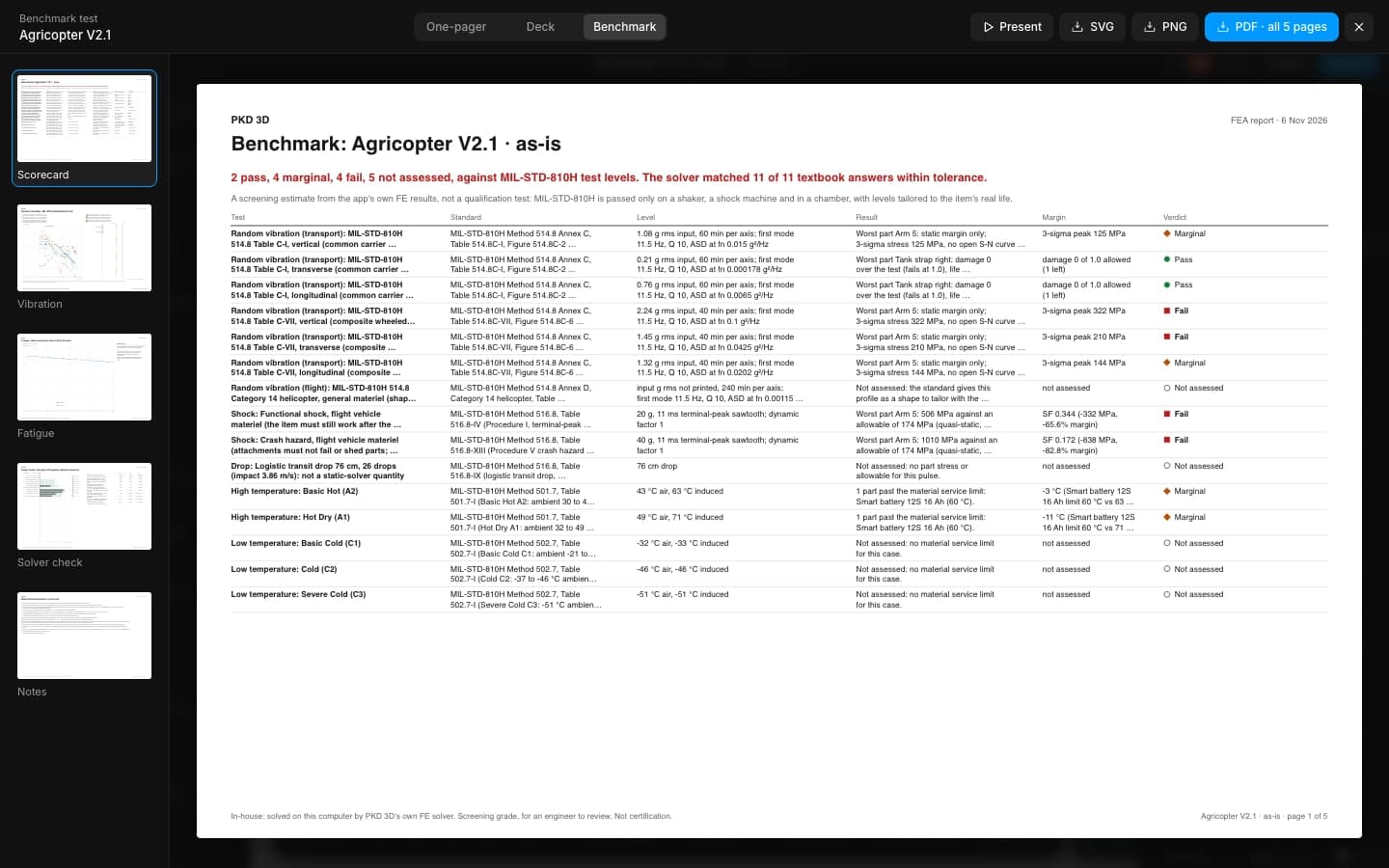
Benchmark
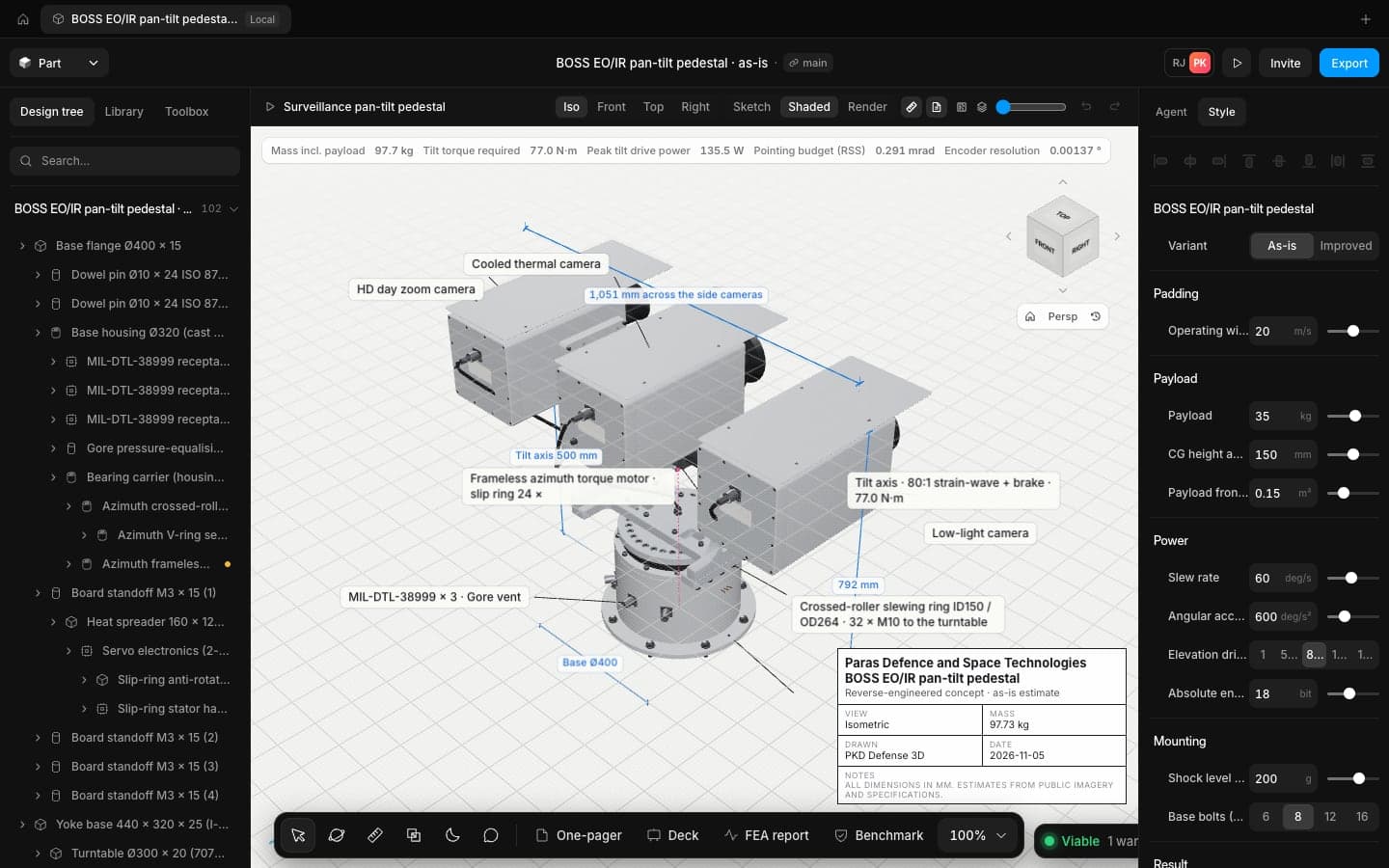
Run the design against MIL-STD-810H heat, cold, vibration and shock levels and see which part fails first.
Drawings
Sheets with views, callouts, title blocks and GD&T, exported to PDF, SVG and DXF at true scale.
Compare
Pick any part and see the real industry parts that fit, with mass, thrust and price side by side.
Ready for programmes
that can't leak
Built for teams who answer to a programme office. Talk to us about private deployment and controlled data.
Models stay in your browser
The CAD kernel runs in your tab. Designs live on your machine unless you choose to sync them.
Your own model key
Point the agent at your own AI provider account, or switch it off entirely.
Branches and history
Every design has a main branch, versions and undo for each command, so reviews can see what changed.
Open formats out
STEP, IGES, STL, PDF, SVG and DXF. Your data is never locked into us.
Honest grades
Every result says what it is. Screening FEA is labelled screening, and estimates are marked as estimates.
Private deployment
Run it on your own infrastructure for controlled programmes. Ask us for the details.
See it on real airframes
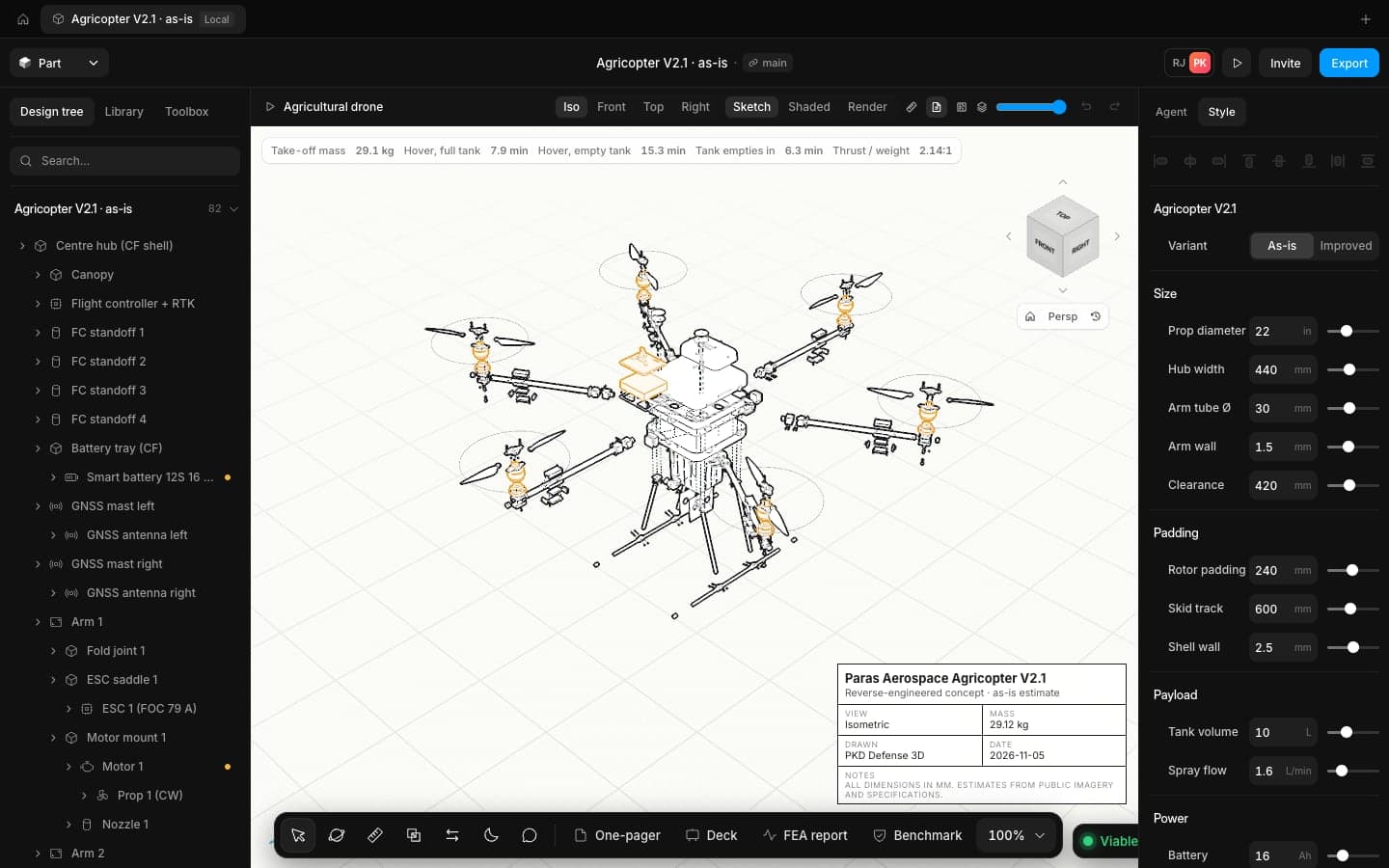
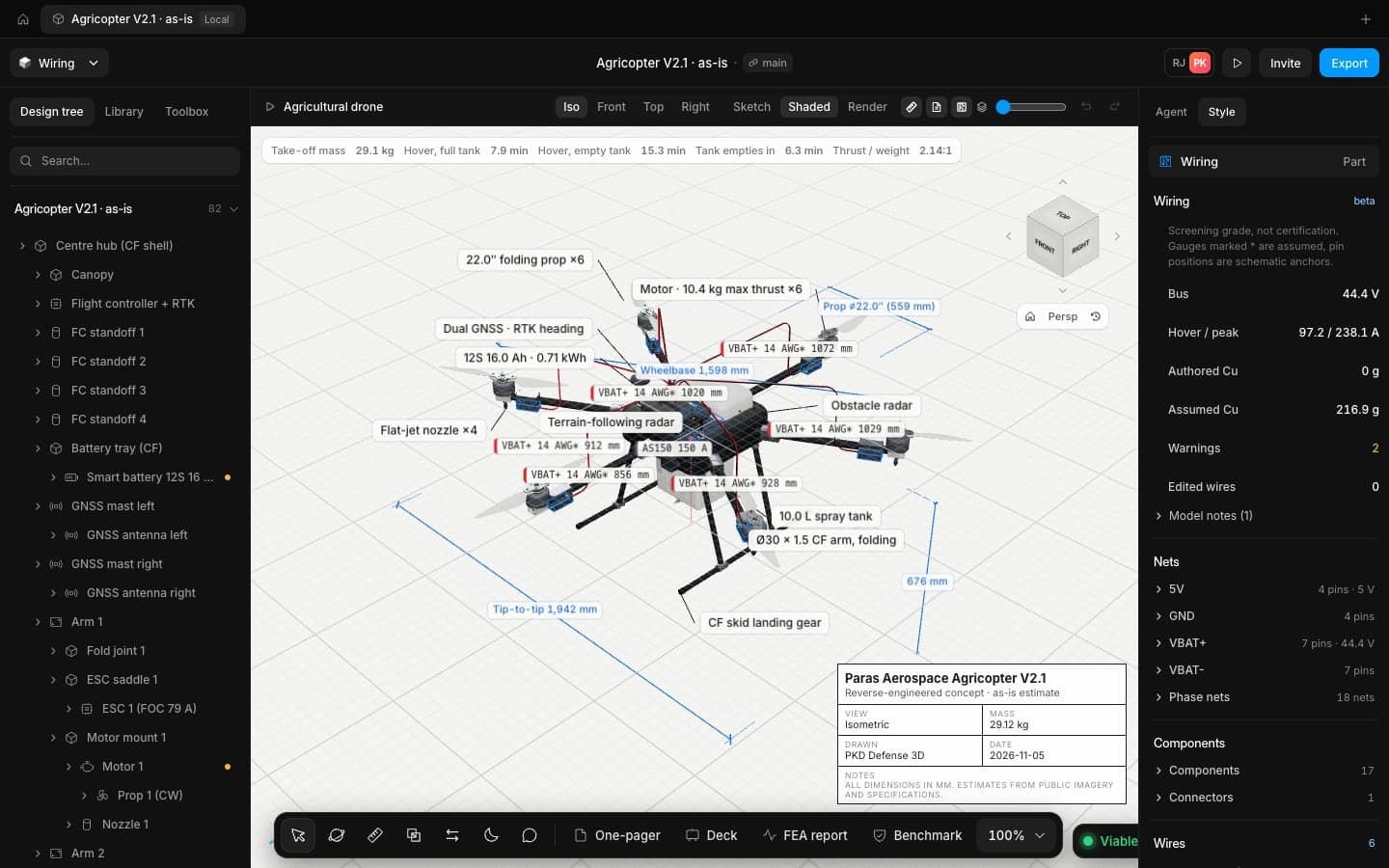
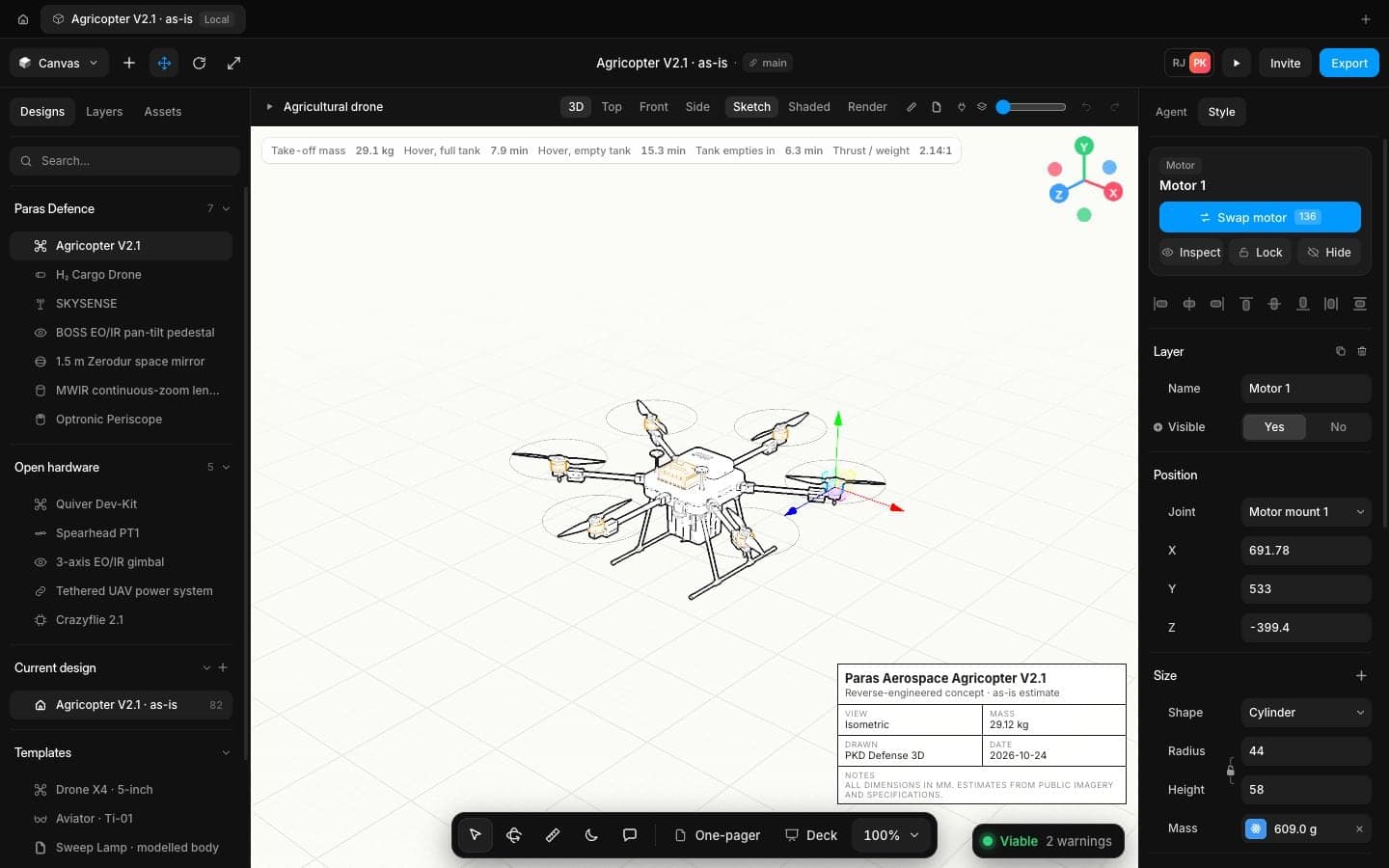
A 10 litre spray drone with 22 inch props, checked for hover time with a full and an empty tank.
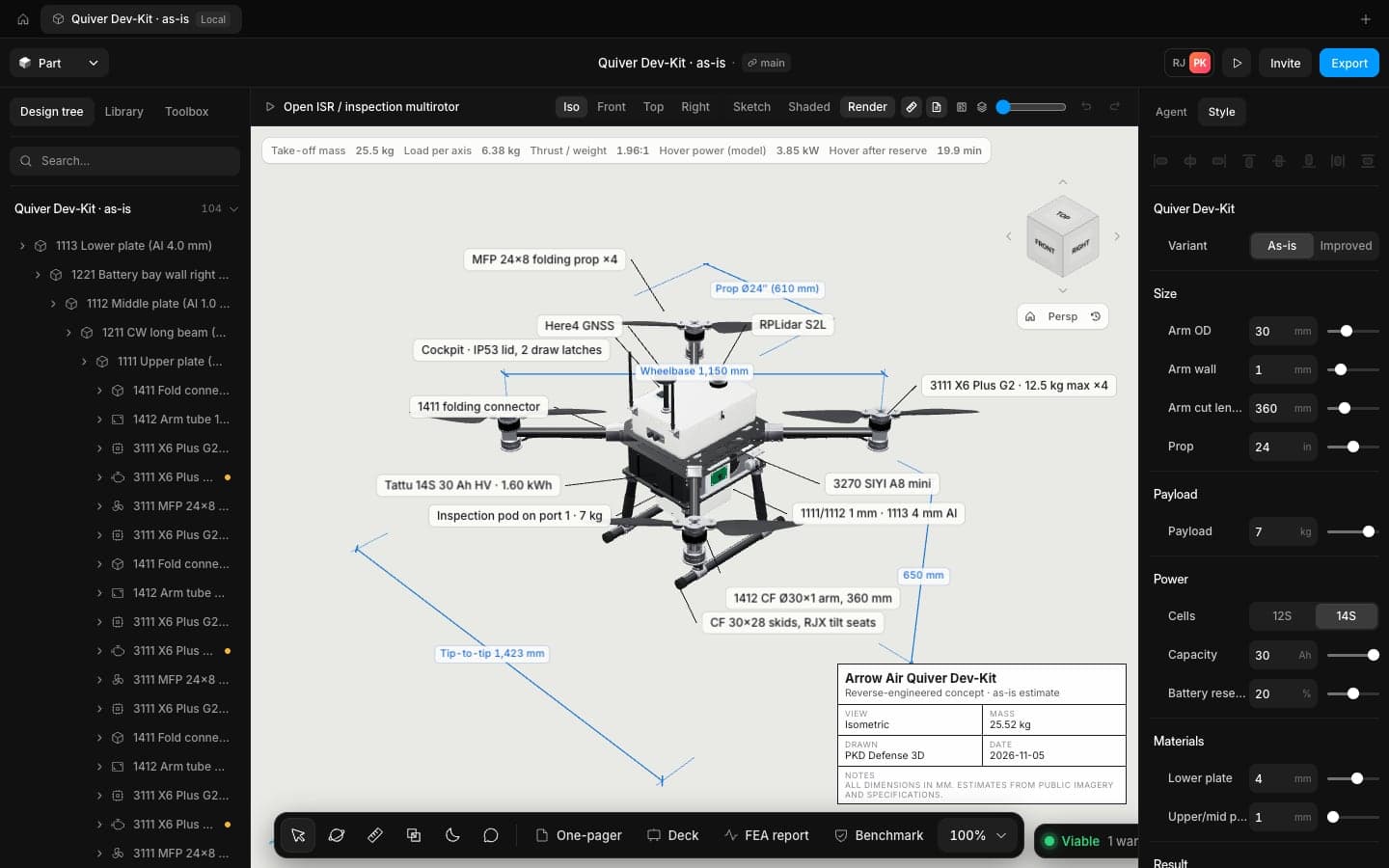
Numbers are the app's own estimates for these concept models, shown as the app reports them.
Ship hardware at the speed your programme moves
Open the app in your browser and have a checked concept on screen in minutes. No install, no licence server.
Frequently
asked questions
Speed is a CAD app that runs in your browser, built for engineers who design drones, payloads and defence hardware. It pairs a full part and assembly modeller with an AI design agent, live physics checks, FEA, benchmarks and drawings.
No. Open the app in a current desktop browser, such as Chrome, and start. The CAD kernel loads once and is cached, so the next visit opens in seconds.
You describe the part or the system. The agent writes a plan you can read, searches the parts catalogue, then runs the same modelling commands you would. It checks the physics after each stage and repairs what fails. Every step is one undo away.
The physics checks use first-principles laws and real part data, and every result is labelled with its grade. FEA runs on the real geometry and is screening grade: it tells you where to look and what to change, and the report says plainly that an engineer should review it before you rely on it.
Benchmark runs your design through load cases set at MIL-STD-810H levels for high temperature, low temperature, vibration and shock, then shows which part has the least margin. It is a design check, not a qualification test.
Yes. Import STEP, IGES and STL. Export STEP, STL, PDF, SVG and DXF, so the design goes back to your other tools whenever you need it.
Your model lives in your browser tab. Cloud sync is optional and per project. For controlled programmes we offer private deployment; contact us for details.