Gimbals and sensors, with the budgets built in
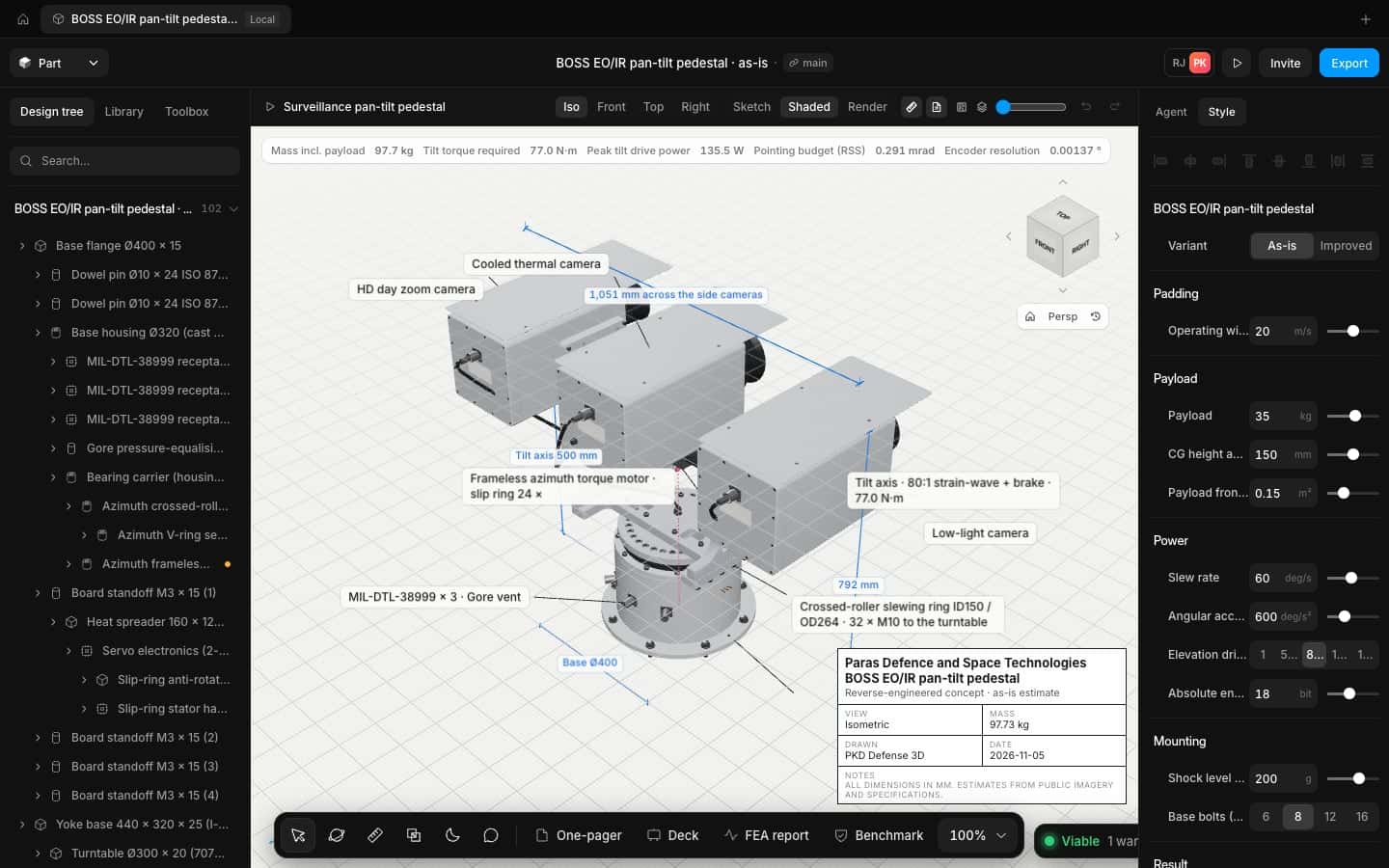
Torque, drive power and pointing error update as you model the pedestal, so the motor and encoder you pick are the ones that work.
What gets in the way
and what changes
The problems we hear most from payload teams, and how Speed takes them off the table.
Motor sizing by guesswork
Required tilt torque is worked out from the real inertia of the payload you modelled.
Pointing budgets in another tool
The pointing error budget sits next to the model and changes with it.
Heat in a sealed box
Thermal analysis finds the hottest component before the enclosure is machined.
How it works
Three steps, one model, no exports in between.
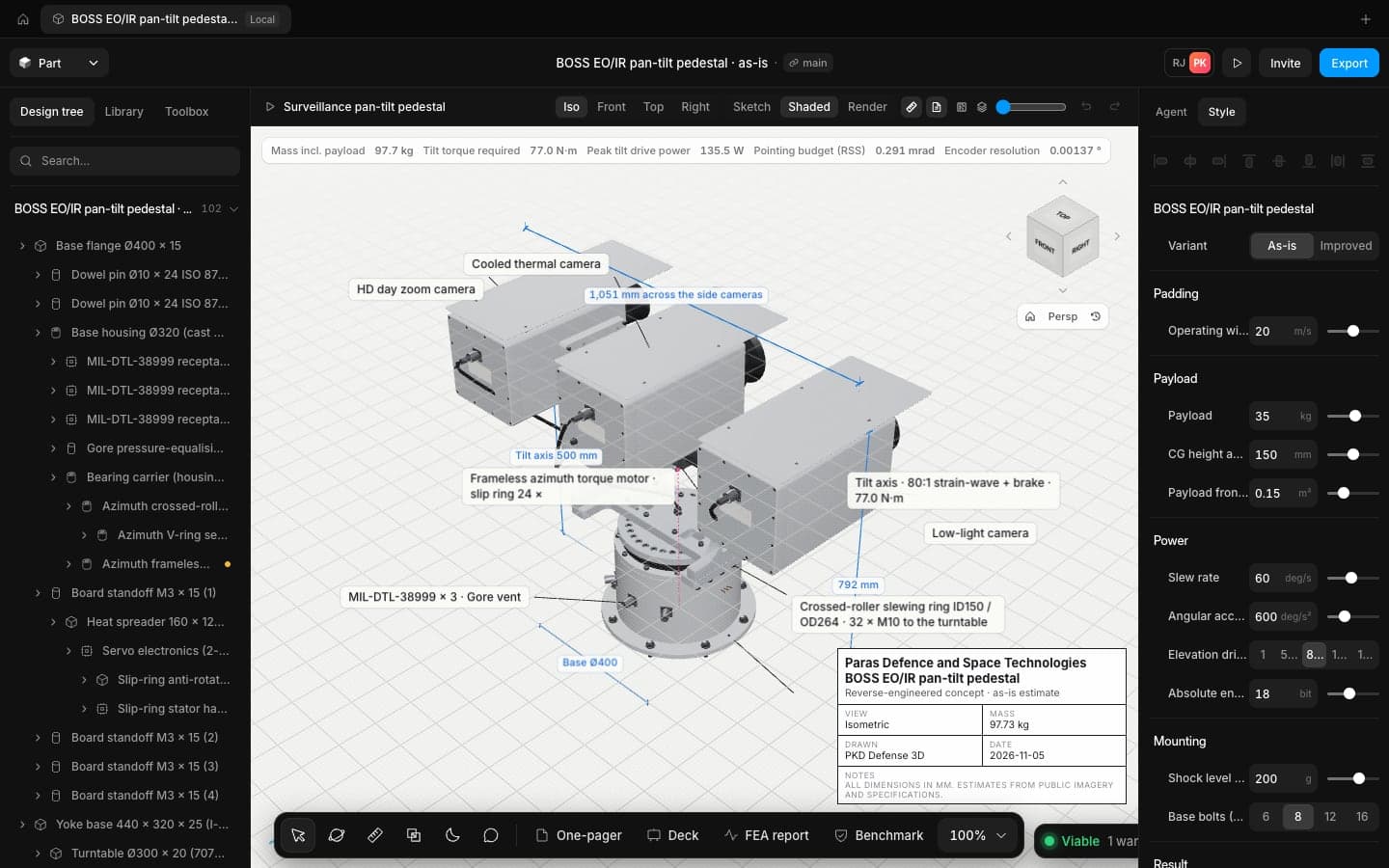
Model the pedestal
Bearings, slip rings, motors and housings, each a real part with its own mass.
Read the budgets
Mass with payload, tilt torque, peak drive power and pointing error, live.
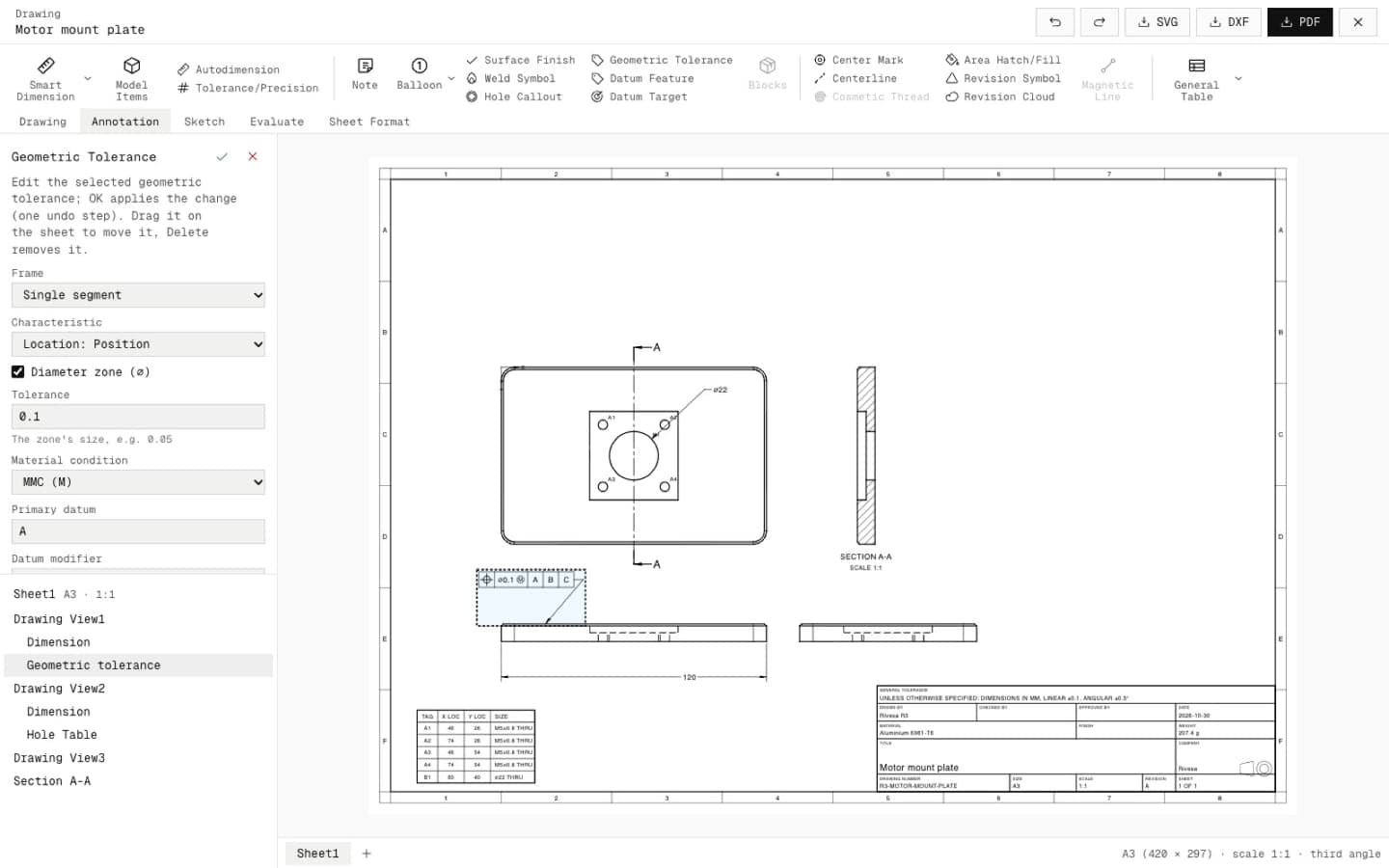
Draw it
Sections, hole tables and GD&T on sheets at true scale.
The tools you'll use most
Physics checks
Mass, thrust to weight, hover time and disc loading update on every edit.
Learn more about Physics checksDrawings
Views, sections, callouts, title blocks and GD&T, made from the 3D model and kept in step with it.
Learn more about DrawingsShip hardware at the speed your programme moves
Open the app in your browser and have a checked concept on screen in minutes. No install, no licence server.